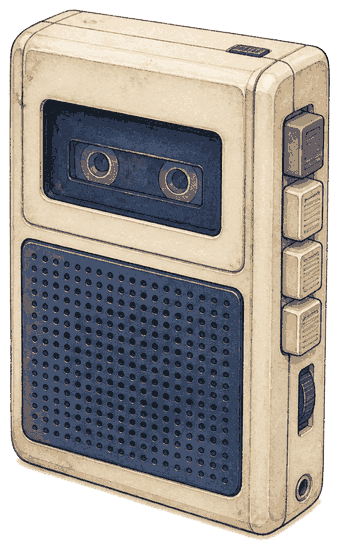
A local voice journal. Audio stays on your computer.
Voice notes pile up. DictaWhisper turns a recording into a note you can reread, on your own computer, sitting next to the audio.
The name is dicta (dictation, a dictaphone) plus Whisper. There is no account. Each recording keeps a small notes file beside it. That file is the journal.
Starting with 0.1.11, the npm package ships compiled JavaScript and the inbox UI. Earlier releases through 0.1.10 do not start from npm installations. Python and faster-whisper remain separate prerequisites. You need Node 22.13+, pnpm, Python with faster-whisper, and (for the exercised path) an NVIDIA GPU. Install lists that before the clone.
Runs on your desktop. MIT.
What you get
- Hit Record in the inbox, or drag an audio file onto the page. A phone folder that syncs in later (via Syncthing or any folder sync) is optional.
- Copy the folder and you copied the journal. Open a note in any editor. There is nothing to export.
- Speech is transcribed on this computer. A second pass can tidy the prose here, or on another computer you already use. If that computer is off or offline, you still have the raw words.
- At home the inbox is a page on this machine. On Tailscale the same page works from your phone.
- Readable paragraphs, a few tags, and playback that follows what you are reading.
A normal day
- Say something. Record in the inbox, or drop a file you already have.
- DictaWhisper writes the words, then a cleaner pass that drops the ums and adds tags.
- Open the inbox. Notes are grouped by month. The readable version is first; the raw speech is one click away.
If a phone app is also dropping files into a folder, those wait until the copy is finished. Browser recordings start right away.
Where the words get tidied
Transcription happens on your desktop. Tidying the prose can happen here too, or on another machine with a stronger writing model. ollanet is how DictaWhisper finds that helper.
The recording and its notes stay on this computer. Cleanup text goes only to the computer you name in ollanet.machine. Search indexing embeds note text on this computer, and uses another computer only if you set journal.embedHost. If this computer has no embedding model, search matches words only.
Where the files live
Browser recordings and drops go under watch.browserDropFolder (default ./data/audio-files). Optional phone folders are watch.roots. Each note is a pair:
data/audio-files/2026-09-10_walk-note.webm
data/audio-files/2026-09-10_walk-note.webm.json
The JSON holds raw Whisper text (text, segments) and, when cleanup ran, cleanedTranscription and tags. The inbox Raw control shows the transcript. Sidecar downloads that file. A search index may also live at journal.index (default ./data/journal.sqlite). That index is not the journal. The pair is.
Sample names above are fictional.
If cleanup is down
The inbox still lists the recording. Status can read raw only, cleanup skipped, or cleanup failed. Retry queues another cleanup pass. pnpm retranscribe --reclean does the same from the terminal. Doctor warns when ollanet is unreachable. It does not claim Whisper succeeded if faster-whisper is missing.
Quick start
Read Install for hardware first. Then:
git clone https://github.com/Catalyst-Forge-LLC/dictawhisper.git
cd dictawhisper
cp config.example.json config.json
pnpm install
pnpm run doctor
pnpm dev
Ready signal: doctor exits 0, or only warnings remain. Then open http://localhost:7777. Flags live in the docs.
Built by Catalyst Forge LLC.